Everything BioMantenimiento does for your operation
From the equipment inventory to the client invoice, without switching systems or typing the same data twice.
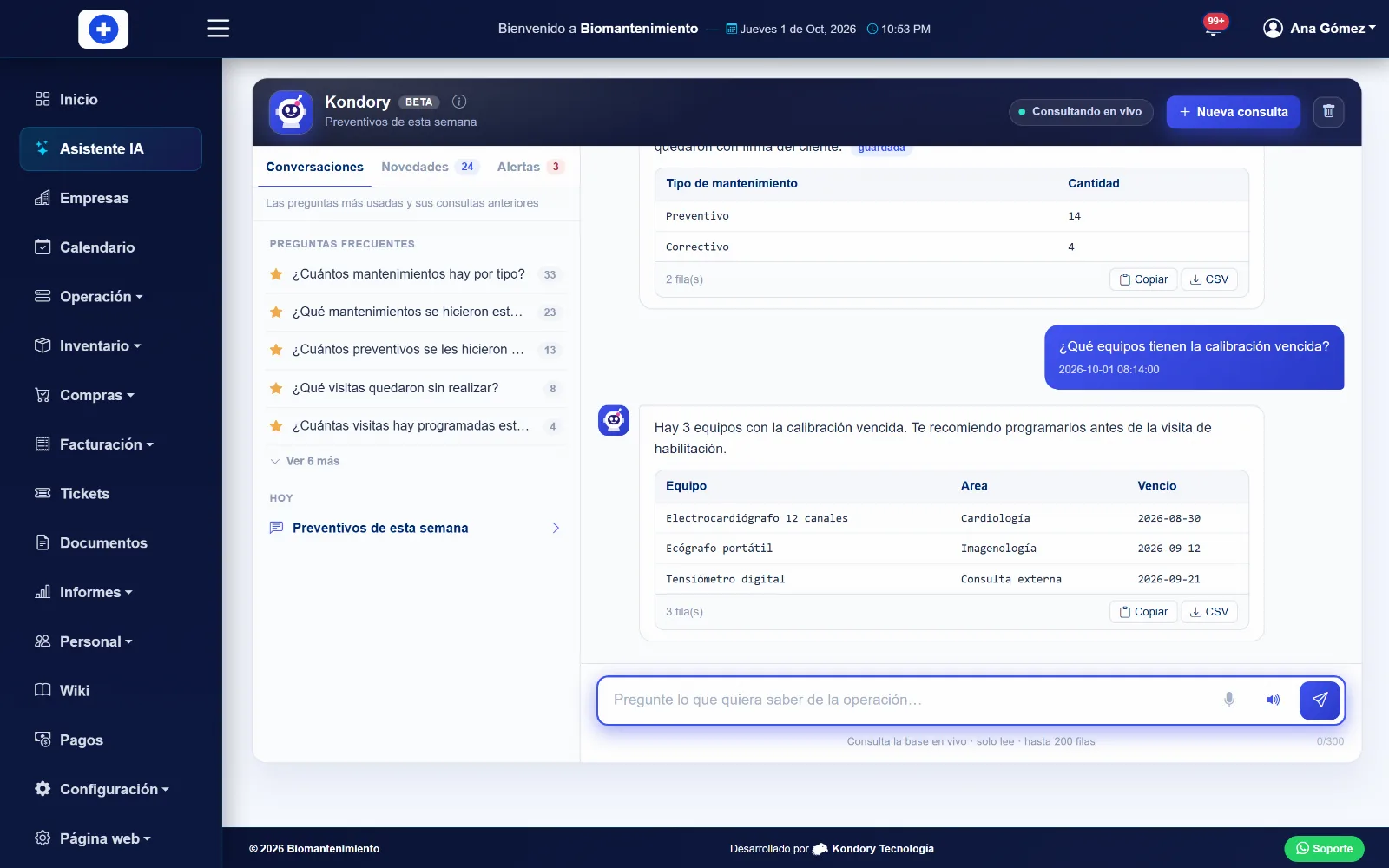
Ask your operation and get answers from your own data
The AI assistant understands plain-language questions about your equipment, maintenance jobs and visits, and answers with the system data in seconds.
- Ask the way you talk
- "Which preventive jobs are due this week?" or "how many jobs did each technician close in September?". The answer comes written out with the supporting table, ready to copy or download.
- Only what you are allowed to see
- Every answer is filtered by the permissions of the person asking. The AI never decides what data anyone can see.
- By voice
- Dictate the question from your phone and listen to the answer, without putting your tools down.
- Learns from frequent questions
- Frequent questions are saved and answered instantly the next time.
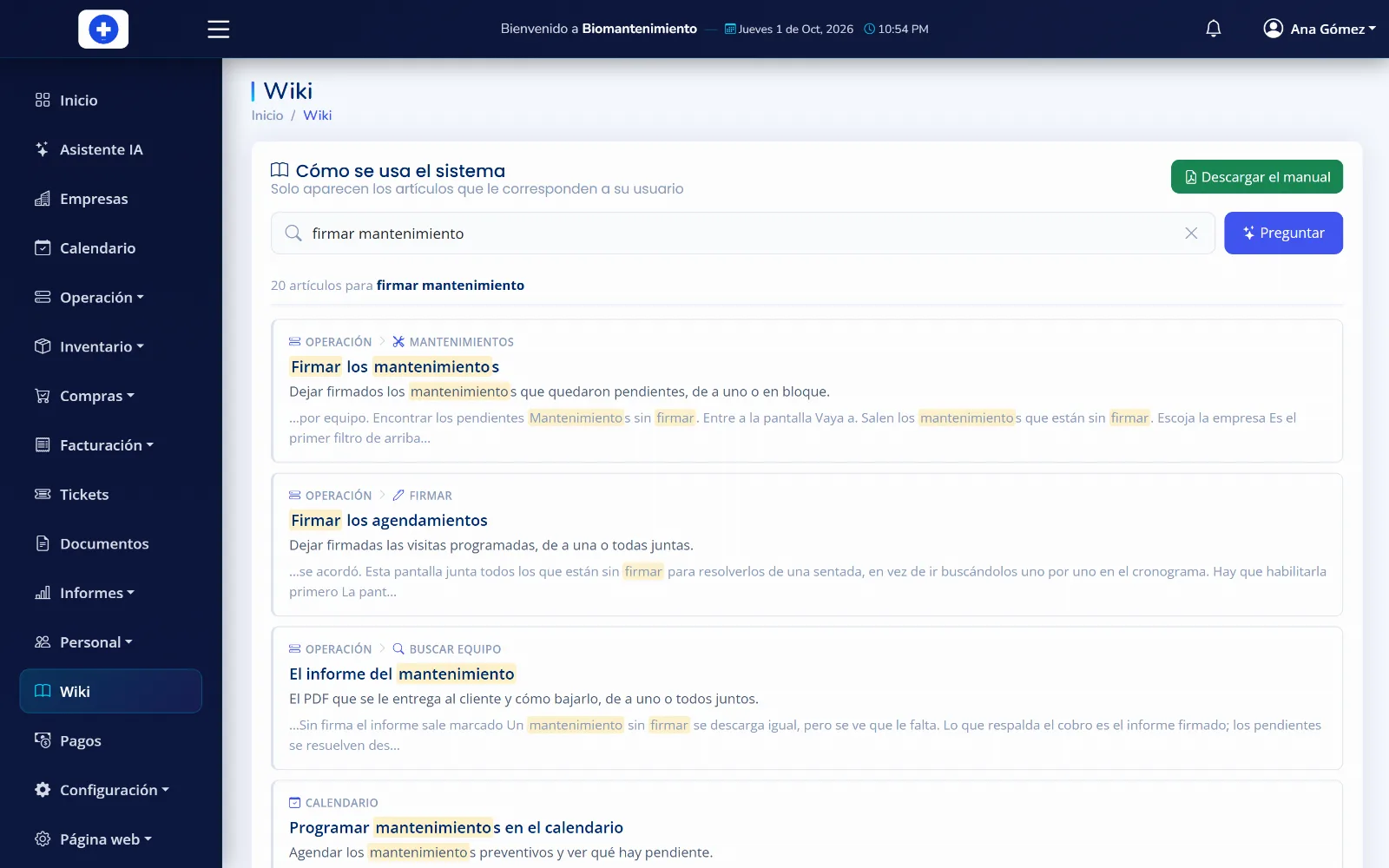
The system manual, always at hand and with answers
A wiki with step-by-step guides for every screen. Type your question and the AI answers based on the manual articles, citing its sources.
- Answers with sources
- The AI builds the answer only from what the manual says and shows the articles it used.
- Search that understands
- Finds the article even if you misspell or use different words.
- Everyone sees their own manual
- Administrators, technicians, clients and warehouse users see the articles for the screens they use. Downloadable as PDF.
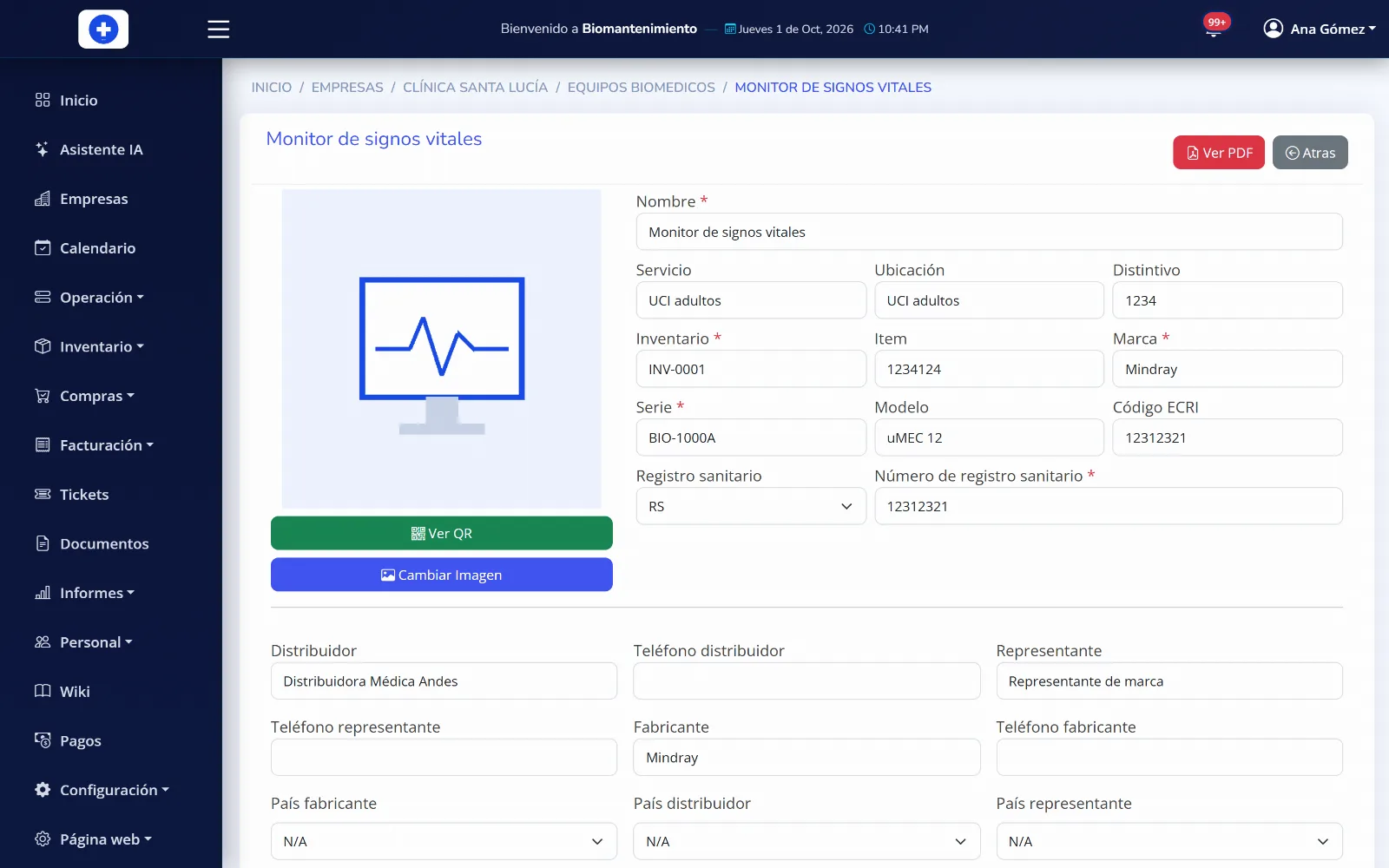
Your whole equipment inventory, with every record up to date
One single inventory inside the software: each piece of equipment lives in its site and its area, with a full record and its entire history behind it.
- Structured like your company
- Company, site, area and equipment type. You filter the schedule and the reports by where the work actually happens.
- Bulk upload from Excel
- Load hundreds of assets at once instead of creating them one by one.
- A QR code on every asset
- The technician scans it and opens the record, the history and the maintenance log from their phone, standing at the machine.
- Attachments, accessories and transfers
- Manuals and certificates attached, accessories counted separately, and site changes without losing the asset history.
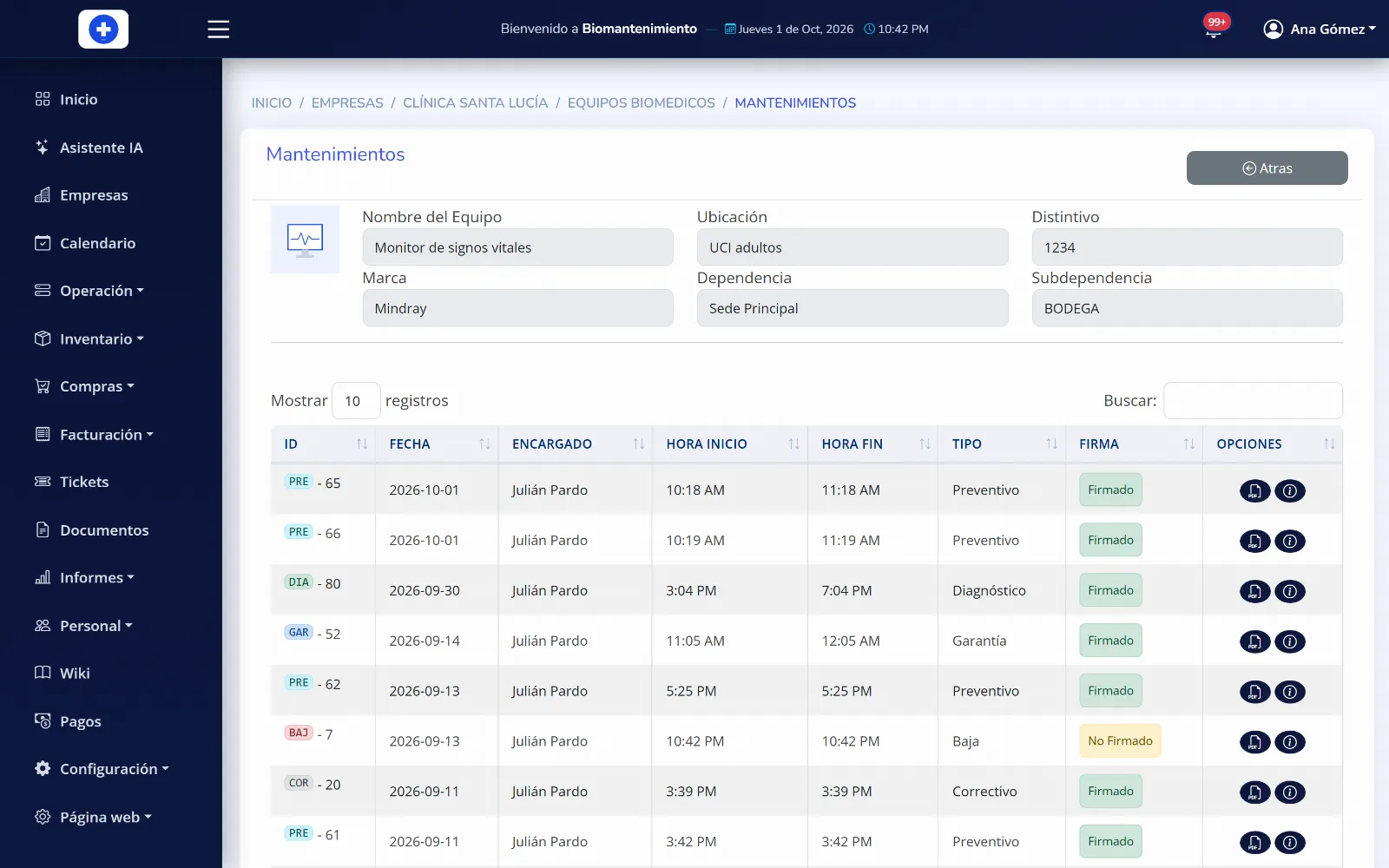
Six maintenance types in a single system
Preventive, corrective, diagnostic, warranty, installation and decommissioning. Each one captures what actually matters.
- The form adapts to the equipment
- An HVAC unit is asked for pressures and amperage; an industrial machine for hour meter and failure mode. It is not one form for everything.
- Preloaded checklists and protocols
- You define each equipment type routine once and the technician receives it ready, without relying on memory.
- Parts, photos and on-site signature
- What was replaced leaves inventory automatically, the photos land in the report and the client signs on the same phone.
- Measurements with reference instruments
- You record what was measured, with which instrument and how far the equipment deviated, with the calibration certificate behind it.
Nothing falls due without someone knowing
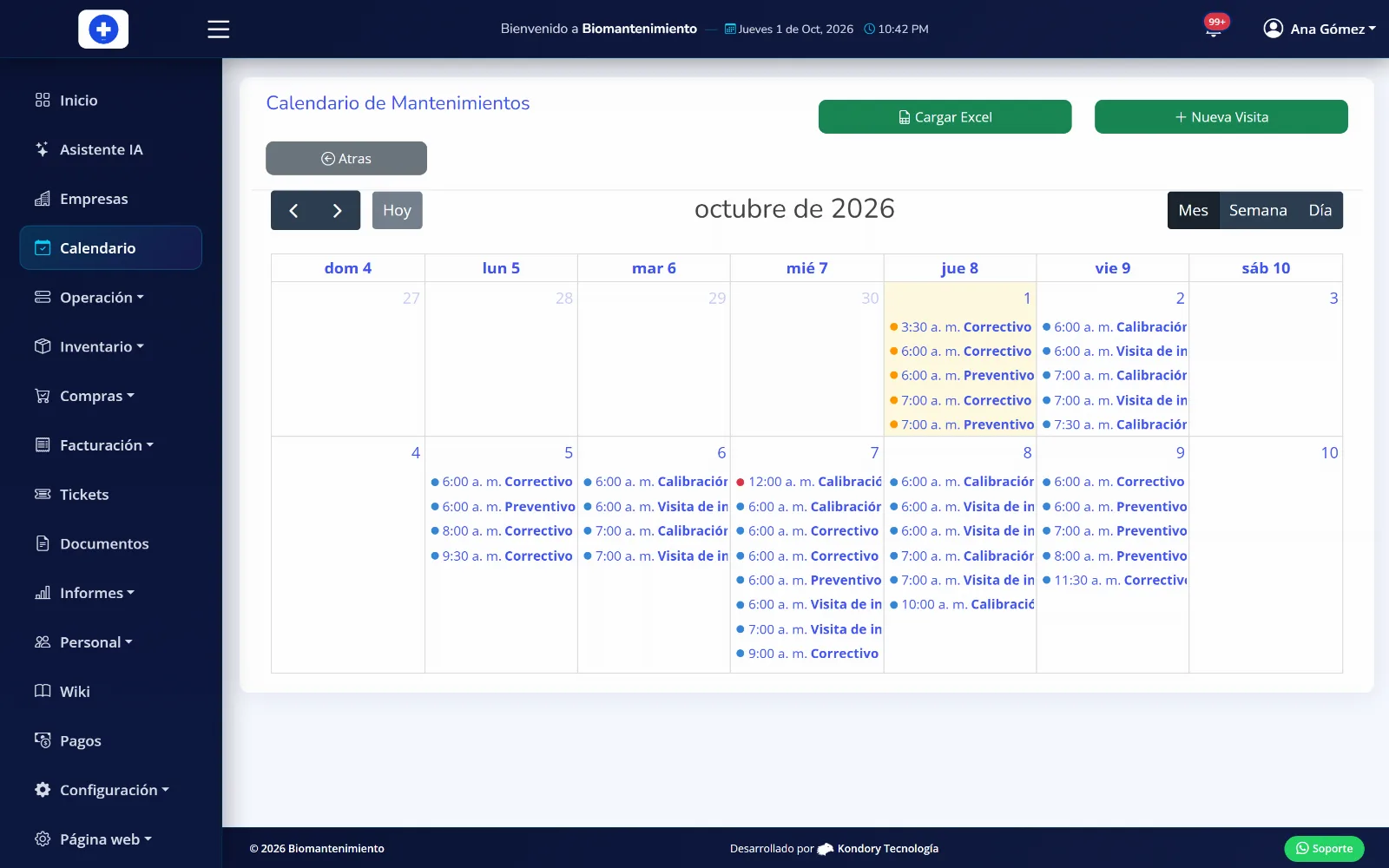
You plan the whole year and the system takes care of flagging what is coming up and what is already overdue.
- Schedule by site and by area
- You book visits where they belong and see at a glance what is still pending this month.
- Alerts by date and by usage
- The asset flags itself when it is due by calendar or by operating hours, and also when the preventive job was never done.
- Visits signed by the client
- The client signs scheduled visits, one at a time or all together, leaving proof that you were there.
The report writes itself while you work
The technician fills in the job and the PDF the client receives is already done.
- One PDF per job, or all of them
- Download a single visit report or the full package for the site and hand it over in one go.
- Report formats per client
- If a client demands their own report format, it is configured and comes out that way for them without affecting anyone else.
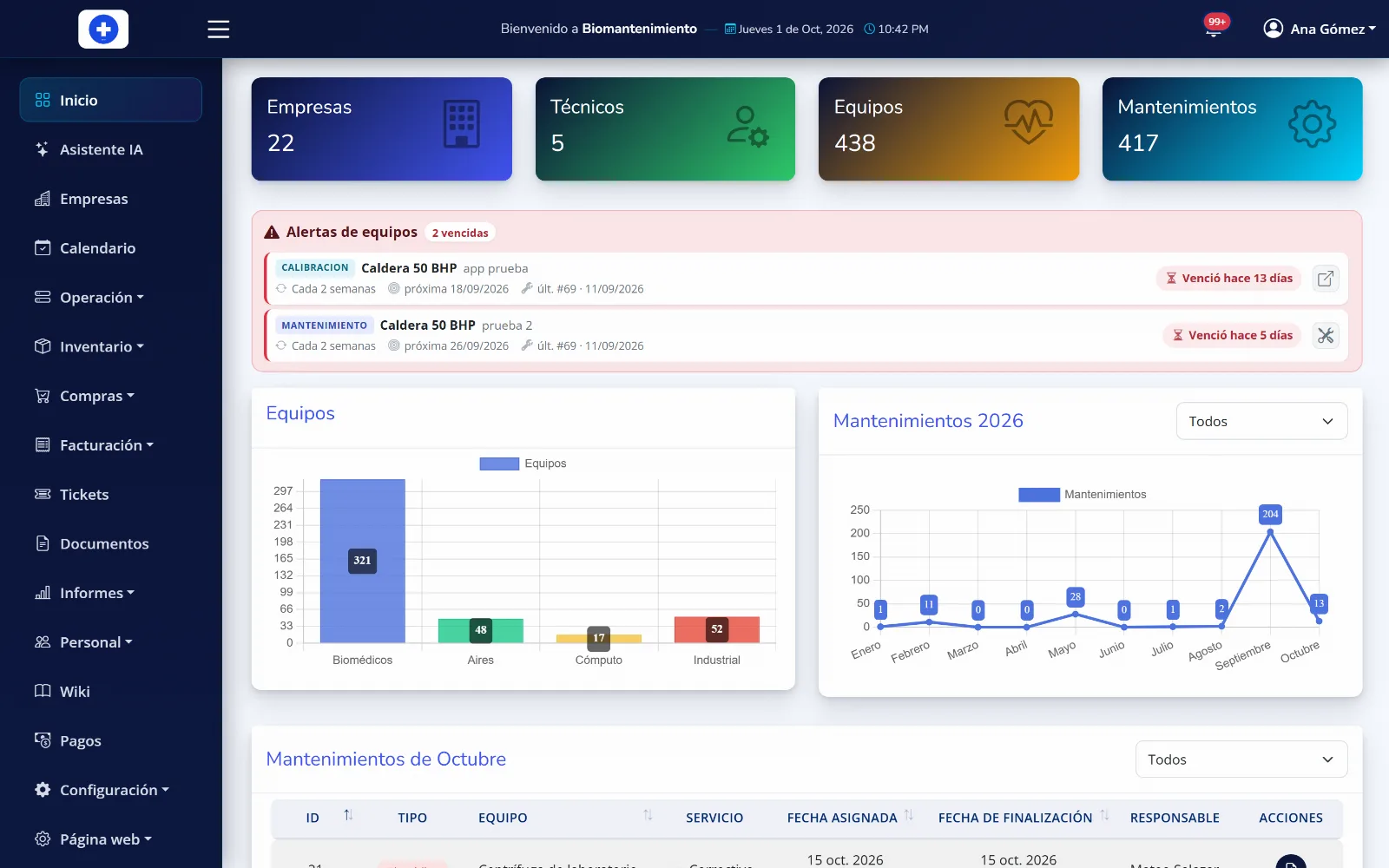
- A dashboard on login
- Jobs completed, assets serviced and compliance rate, charted, the moment you open the system.
The storeroom wired into maintenance
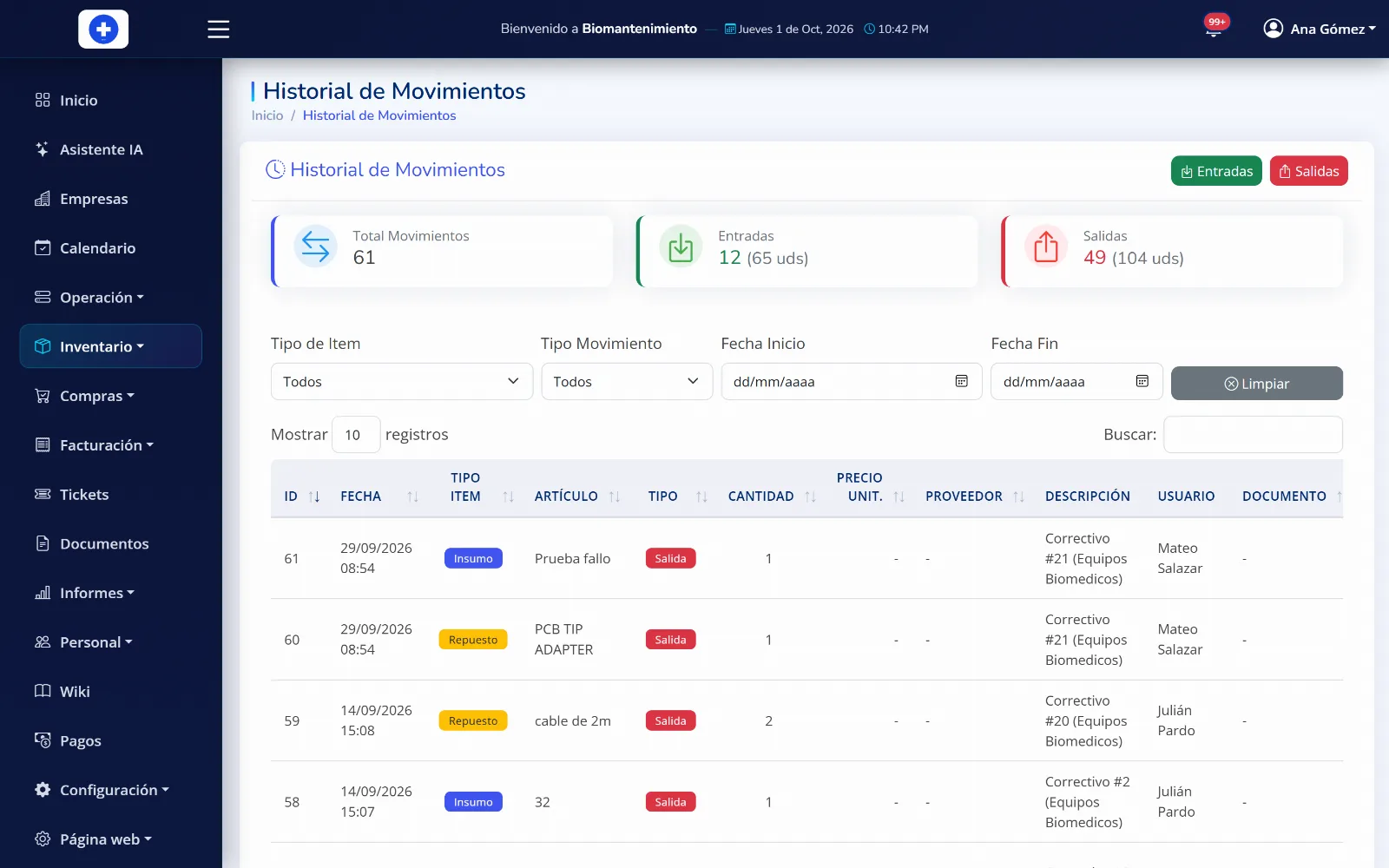
What the technician uses on an asset leaves stock, and what is missing is ordered without leaving the system.
- Receipts, issues and minimum stock
- Every movement is logged with who made it, and the system warns you when a part hits its minimum level.
- Requisitions and purchase orders
- The technician requests what they need, purchasing approves it, and it becomes a formal order to the supplier.
- Suppliers and cost centers
- You know who you buy each item from and which cost center the expense is charged to.
From work performed to invoice collected
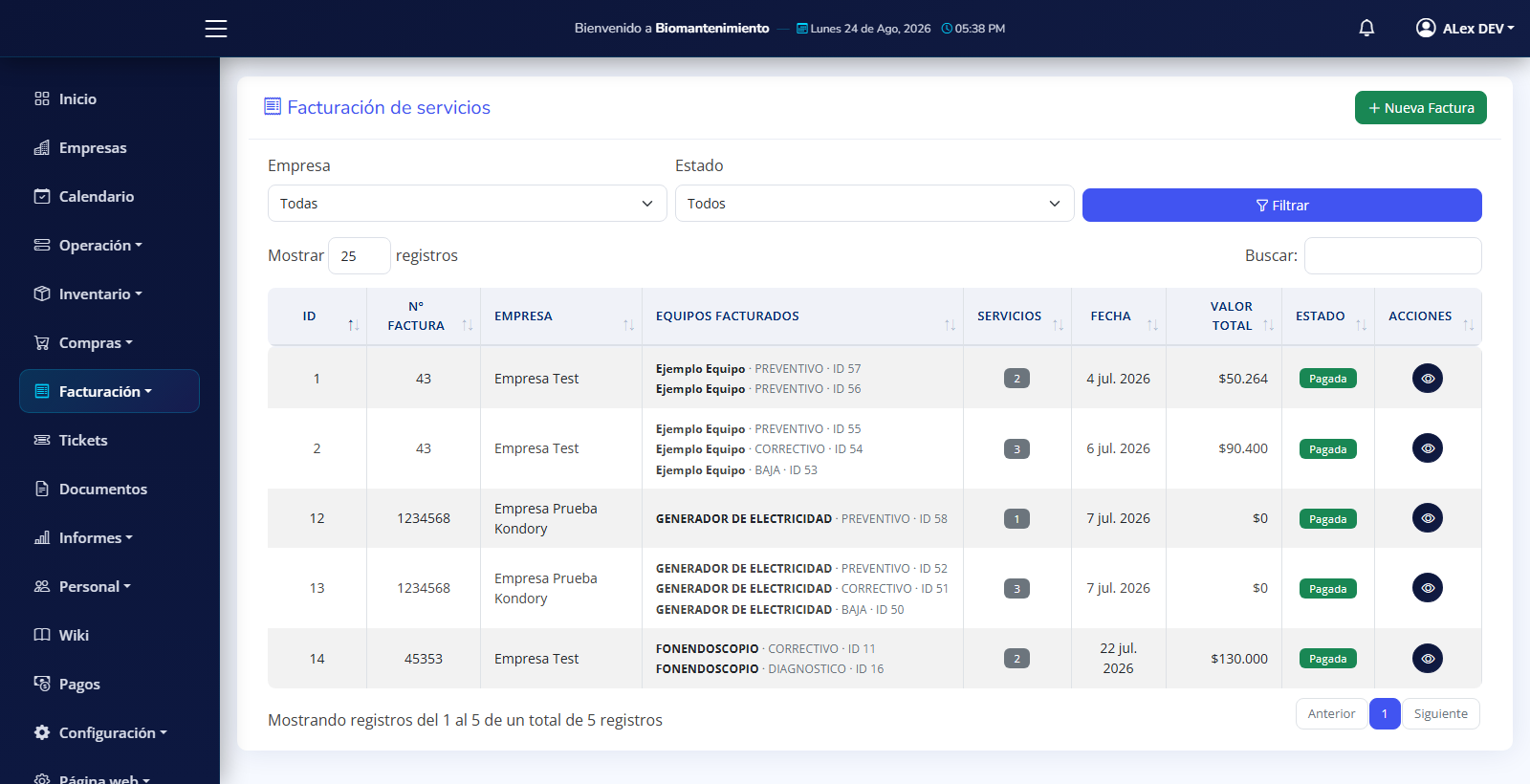
The work is already recorded: billing it should not mean typing it all over again somewhere else.
- Service catalog with pricing
- You define what you charge each client and how much, and the invoice is built by picking from that list.
- Jobs and parts on the bill
- You carry the work performed and the parts installed straight onto the invoice, without collecting them by hand.
- PDF invoice with your details
- It comes out with your logo, your tax ID and your details, ready to send to the client.
Your client logs in and sees their own, whenever they want
Fewer calls asking for this month report: the client looks it up and downloads it themselves.
- Each user sees only their sites
- You assign the sites that belong to them and from that moment they see nothing else.
- Self-service access
- Equipment, history, documents and reports available at any hour, from a phone or a computer.
- Client electronic signature
- They approve maintenance jobs and visits from the platform, and the signature stays in the document.
- A role for each person
- Administrator, technician, storeroom and client: each one reaches what is theirs and nothing more.
Every reported fault gets an owner and a date
Your client reports it from the platform and the case does not get lost between phone calls: it is assigned, handled and closed on the record.
- Clients open tickets from their portal
- They report the fault and the equipment it belongs to, with no calls or scattered messages nobody can find later.
- With an owner and a visible status
- Every ticket shows who is handling it and where it stands, so none of them sits waiting for someone to remember.
- A history for every case
- What was reported, who handled it and how it was solved stays on record, available whenever you need it.
- In-system notifications
- Your team learns about the new ticket and every status change without depending on someone passing the word.
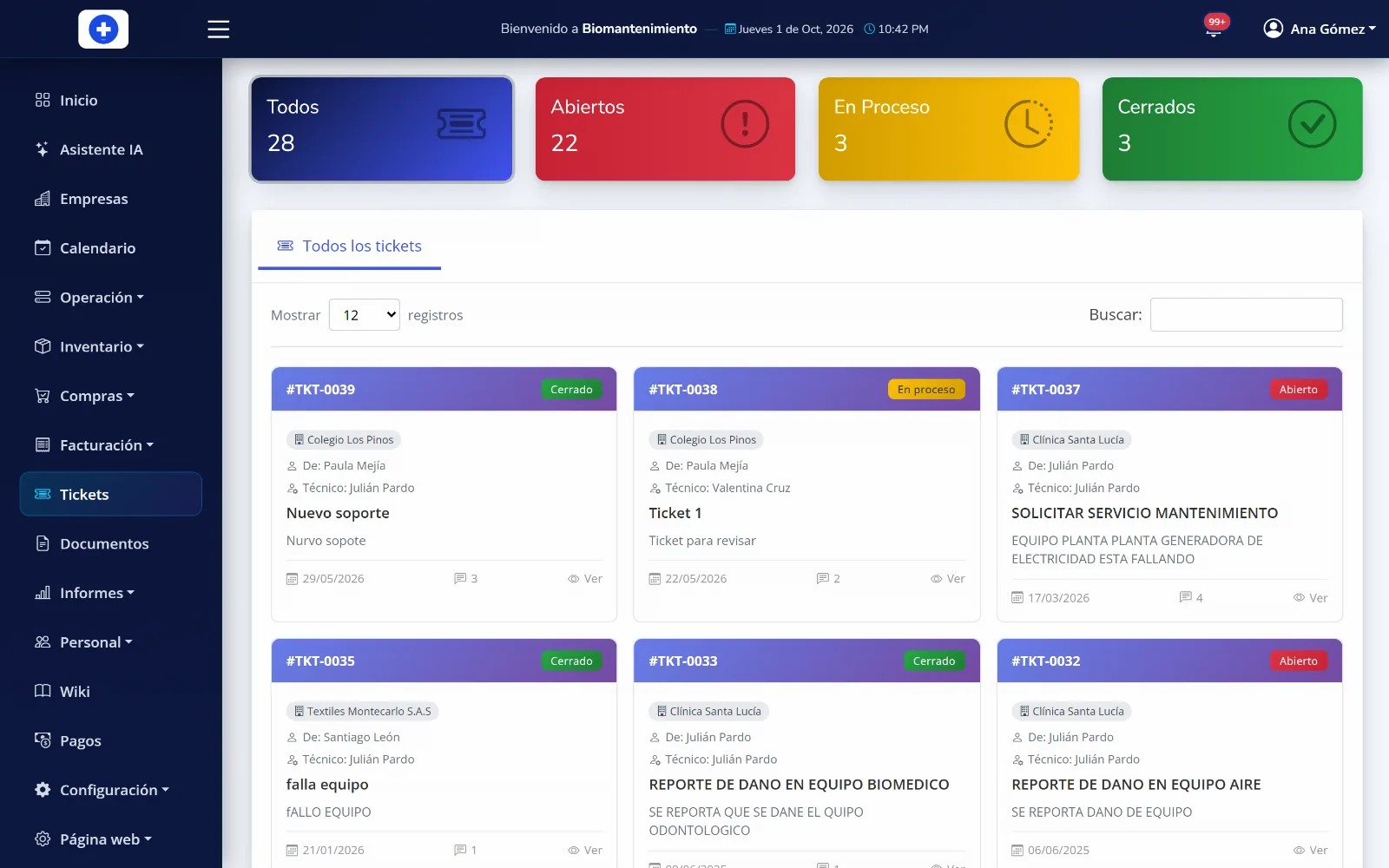
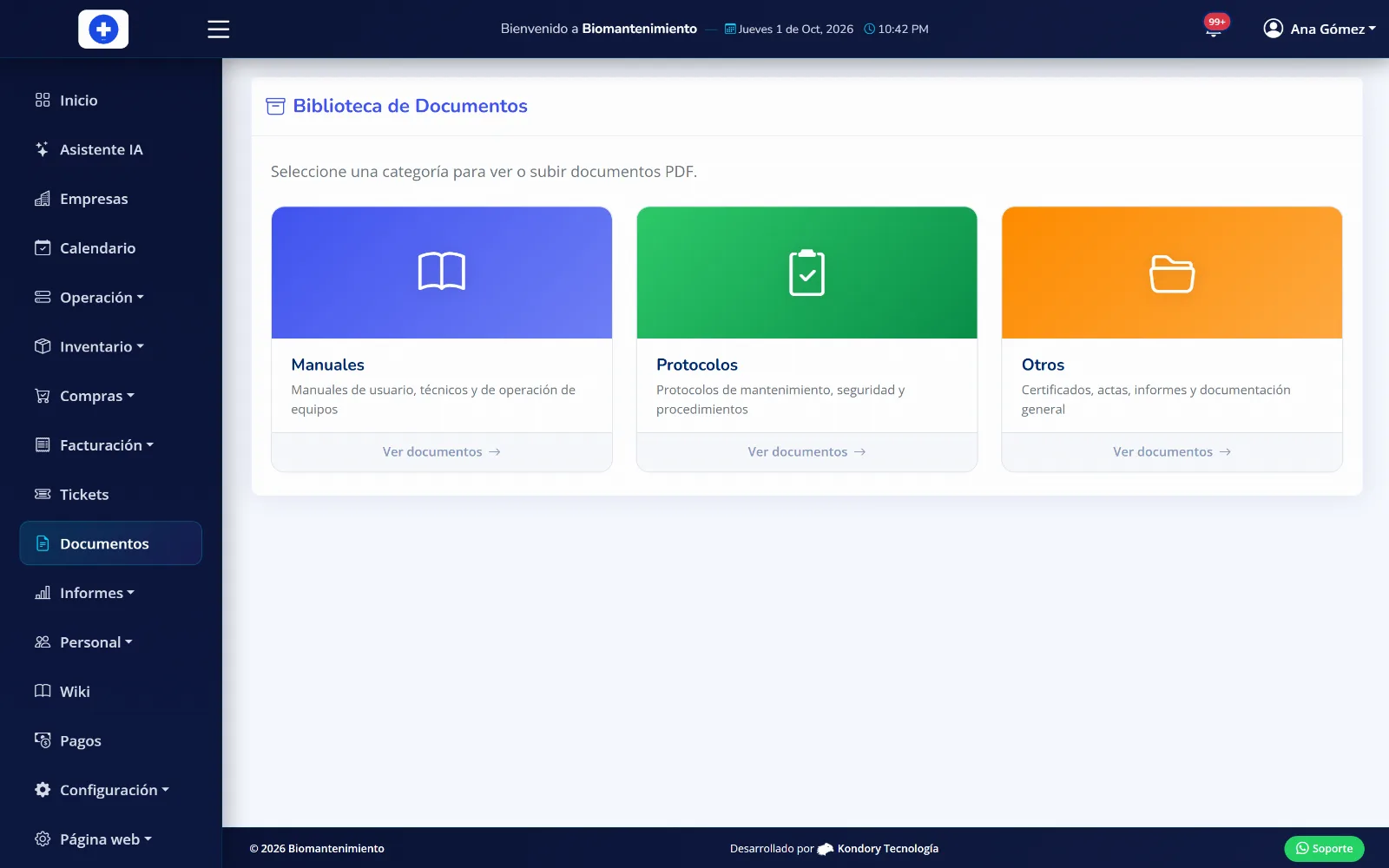
All your documentation ready for an audit
The platform keeps every document in its place, with its date and the person responsible, ready to download whenever it is requested.
- Documents by equipment type
- Handling sheets, health registrations and cleaning protocols, stored where they belong.
- Technovigilance records
- Accompaniment records are logged together with their supporting document.
- Training with evidence
- You record what training you delivered, to whom and when, with the attendance sheet attached.
- Staff credentials
- The paperwork of the technicians serving each client, at hand whenever it is required.
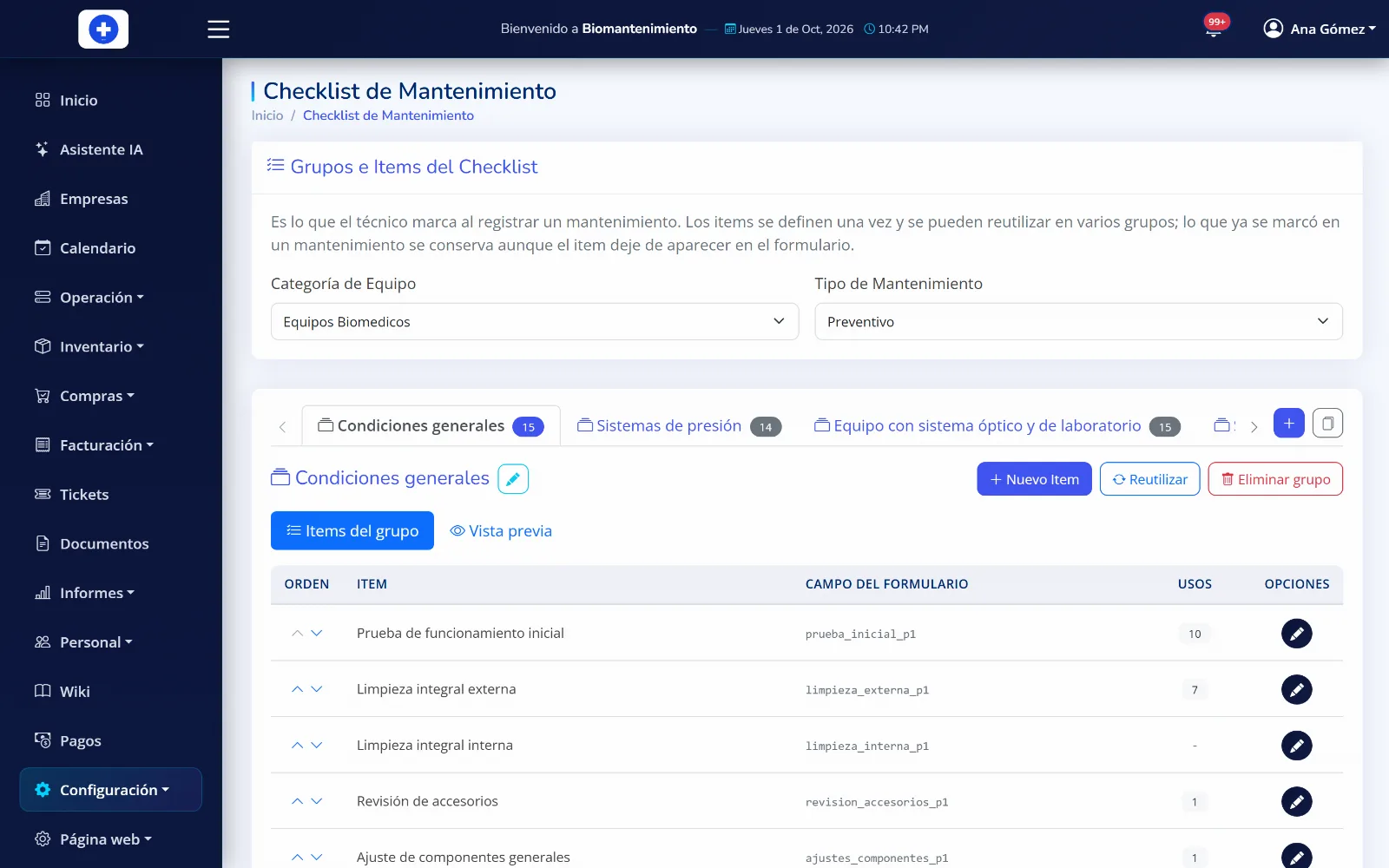
It adapts to your company, not the other way around
You configure the system so it speaks the way your team speaks and asks for what you actually need.
- Fields you define
- You decide what data is asked of an asset, a maintenance job and a spare part. If your operation needs another field, it gets added.
- Your own checklists
- You build your company inspection lists and the technician follows them on every visit.
- The system speaks your language
- If your company does not say "biomedical" but something else, you rename it and the change shows up across the whole system.
- Built-in manual and search
- Every screen has its own explanation inside the platform, searchable and downloadable as PDF. Your people learn on their own.
Other things that come with it
- Notifications
- In-system alerts so nobody finds out late about what is on them.
- Your branding on documents
- Logo, tax ID and contact details appear on every report and every invoice.
- Access log
- A record of who logged in, when and from where.
- Calibrated reference instruments
- The instruments you measure with, each with its certificate and expiry date.
- Works on phone and tablet
- The technician works from the site; no need to drive back to the office to file the report.
Questions about the features
What companies ask us most before they start using the platform.
Want to see it running with your equipment?
Book a demo and we will walk you through the platform with a case close to yours.